Features
Every step of your roast, in detail.
Real-time BT/ET Monitoring
Your data never stops while your hardware is running.
A Python collector reads BT (Bean Temperature) and ET (Environmental Temperature) every second and streams them to the core service via TCP NDJSON. The UI renders directly on Canvas for a smooth curve, and Rate of Rise is computed on a rolling window and shown alongside. On launch the app reconnects to the roaster you used last, so you are not picking a serial port every morning.
Automatic Phase Detection
Turning Point through First Crack, marked for you.
Domain logic analyzes BT inflection points and threshold crossings. Turning Point is detected via min-after-charge plus rising trend; Dry End via 150°C crossing with hysteresis; First Crack via 192°C crossing. Manual override is always available.
Reference Curve — Roast Against Your Best
Your best batch, right there while you roast.
Mark a session as the reference profile for that green, and the next roast of the same coffee draws it underneath your live curve automatically. It carries more than temperature: the gas and airflow changes you made at the time are shown too, so you see the moment your curve starts to diverge and can respond while it still matters.
Preheat Analysis
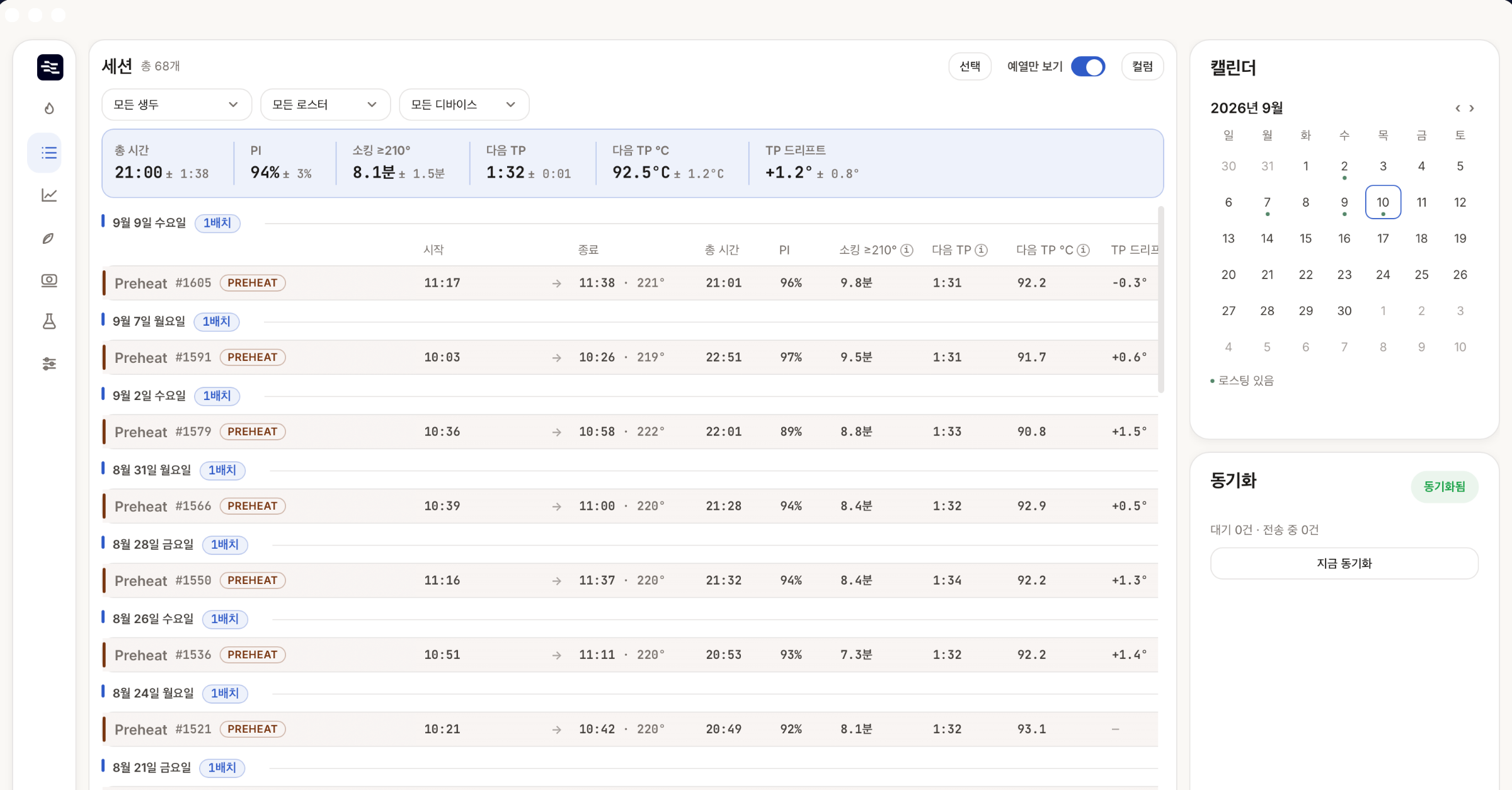
When the first batch wobbles, the preheat is usually why.
Preheats are recorded as sessions distinct from roasts and can be filtered on their own. Set one as a reference and the next preheat draws against it. TP drift takes the average Turning Point temperature of batches 2–5 in a run and subtracts the first batch: a positive number means the first batch ran colder than the ones after it — that much heat your preheat did not put into the drum.
BBP — The Record Between Batches
What happens between batches is part of the roast.
In continuous roasting you keep working the gas and airflow between drop and the next charge. RoastPro holds those changes and hands them to the next batch, so what you did between batches does not vanish from the record. Batches on the same machine charged within 30 minutes of each other are linked.
History & Comparison
Differences only show up side by side.
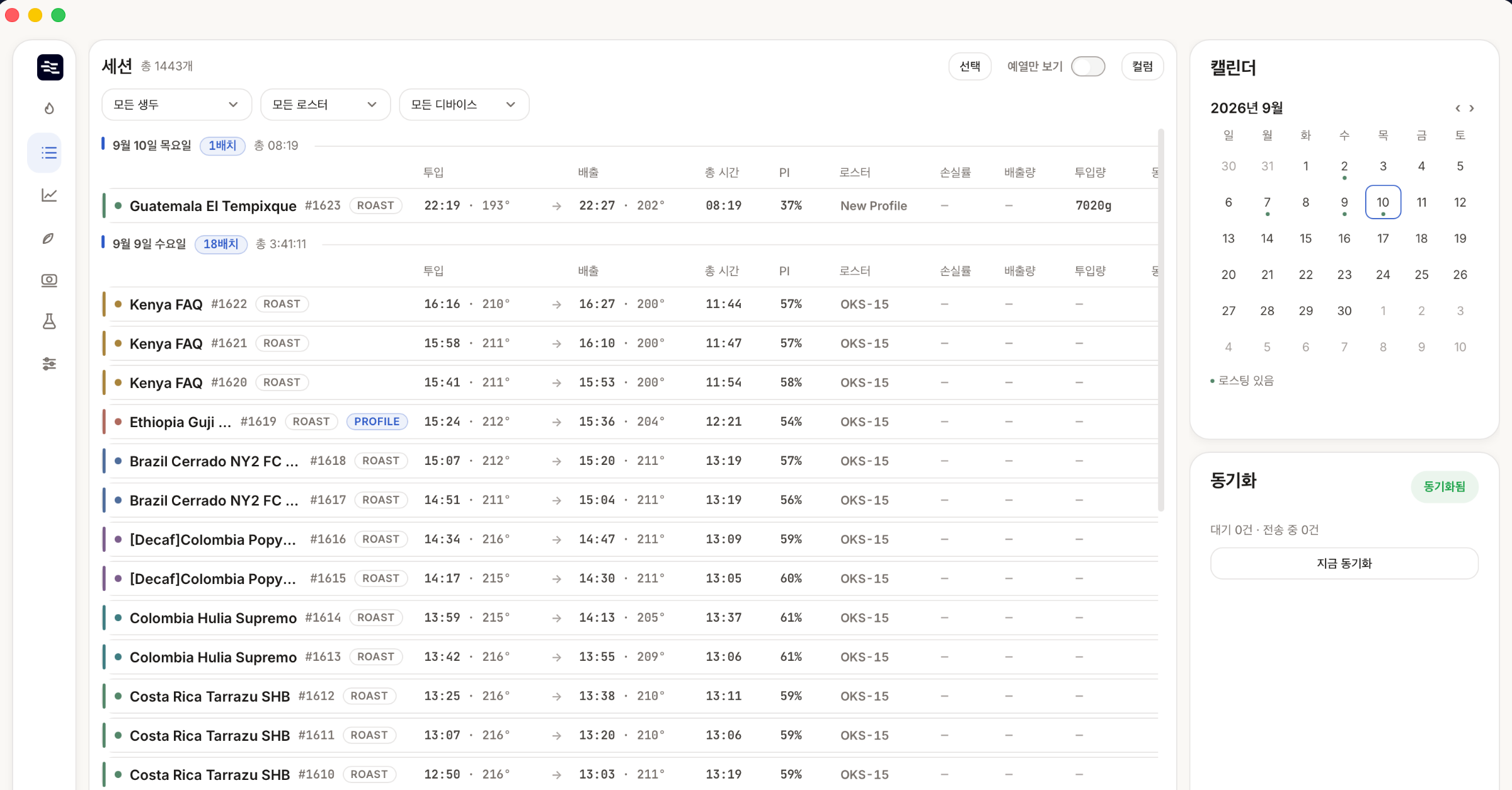
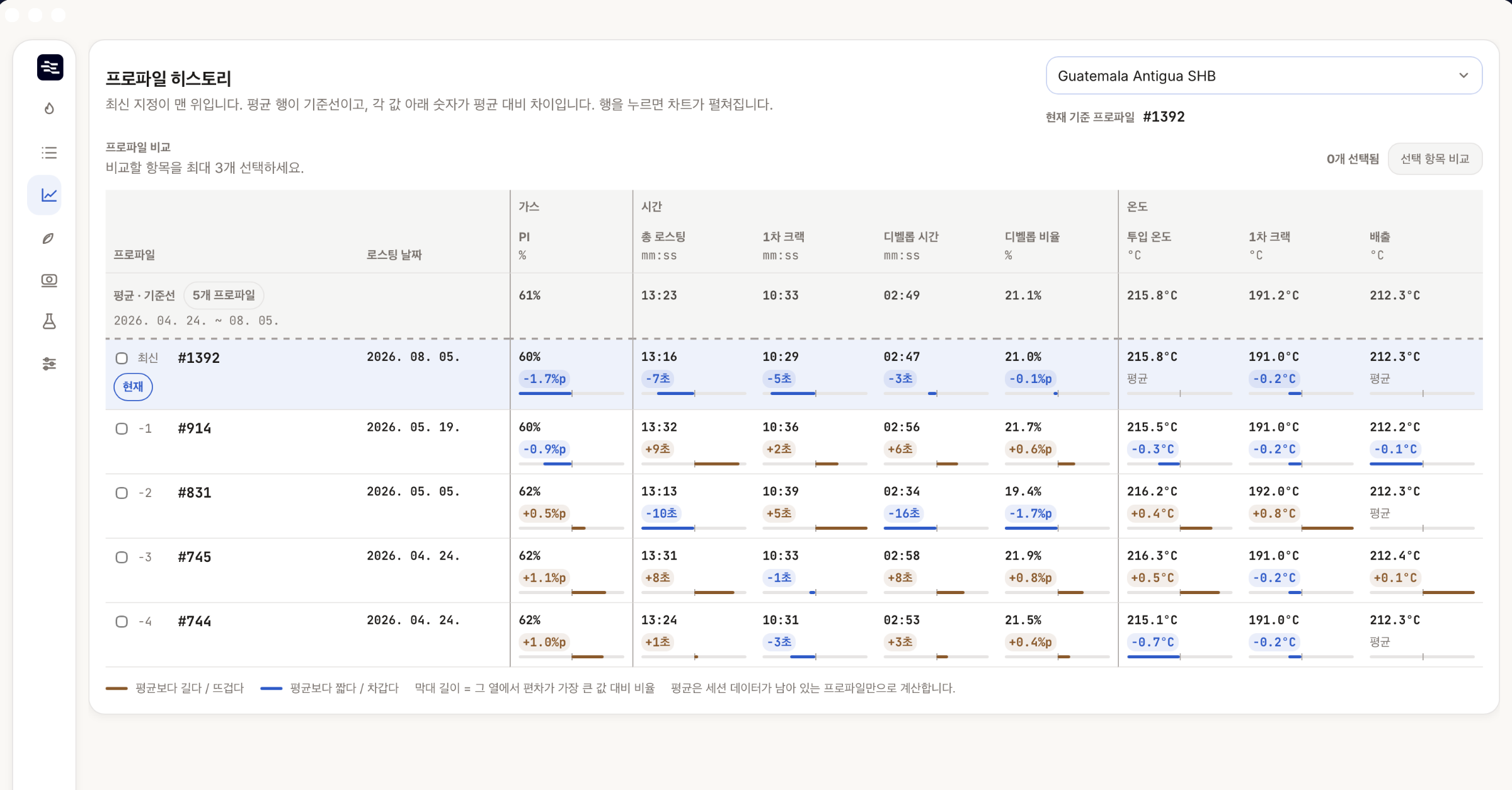
Filter past sessions by machine, green, or date range and read them as a table. Each column holds a per-batch metric, and the ⓘ on a column header explains how to read that metric and where it stops being reliable. Open a single session for the full curve and events, charge and drop weights, and the green linked to that batch.
Green Inventory
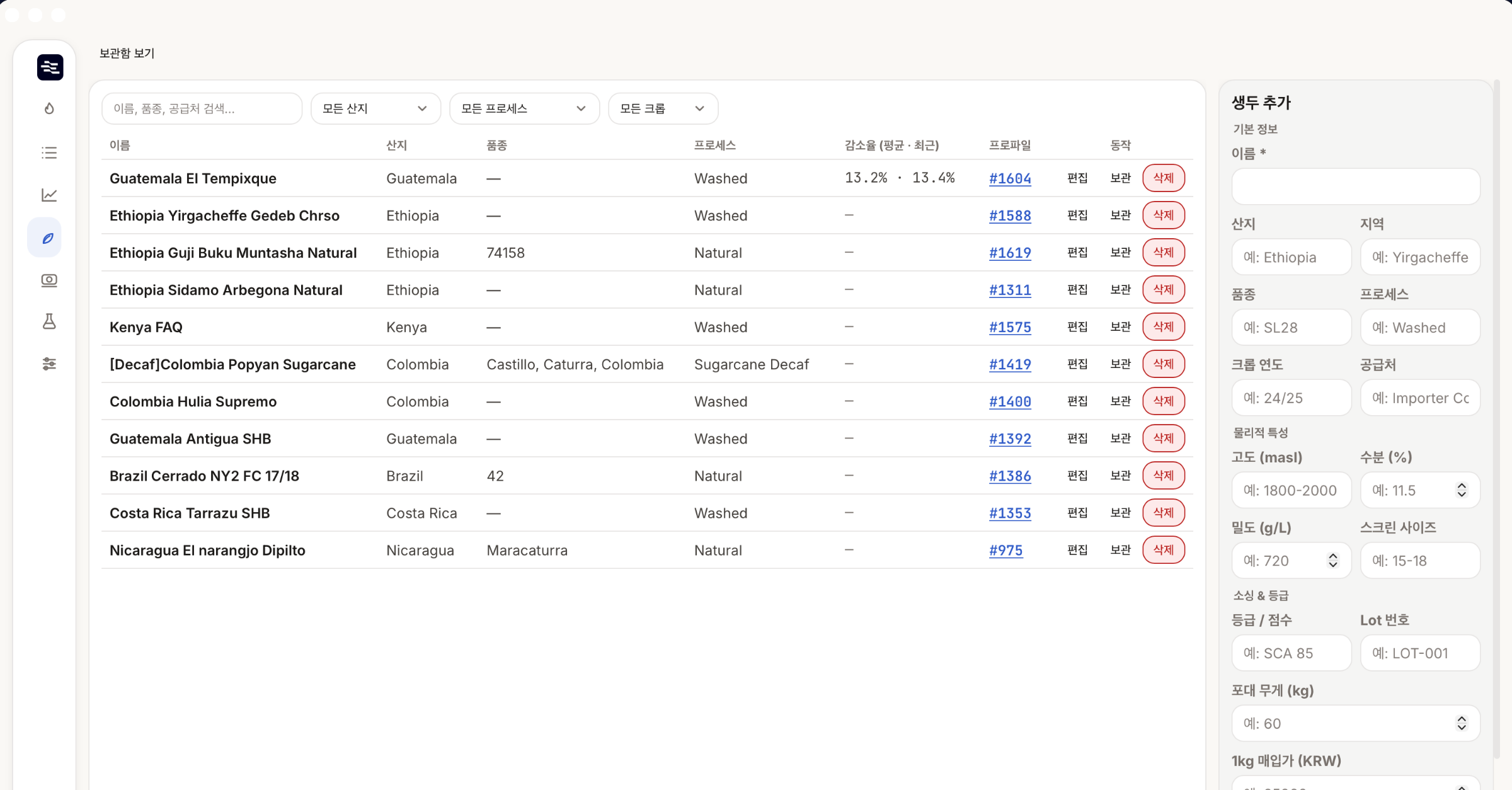
Stop relying on memory for which coffee it was.
Origin, varietal, process, crop year, and supplier are managed per green and linked to sessions. The app prompts you to confirm the green before a roast starts, so you spend less time later reconstructing what a batch actually was.
QC Cupping Sessions
Many tasters, one result.
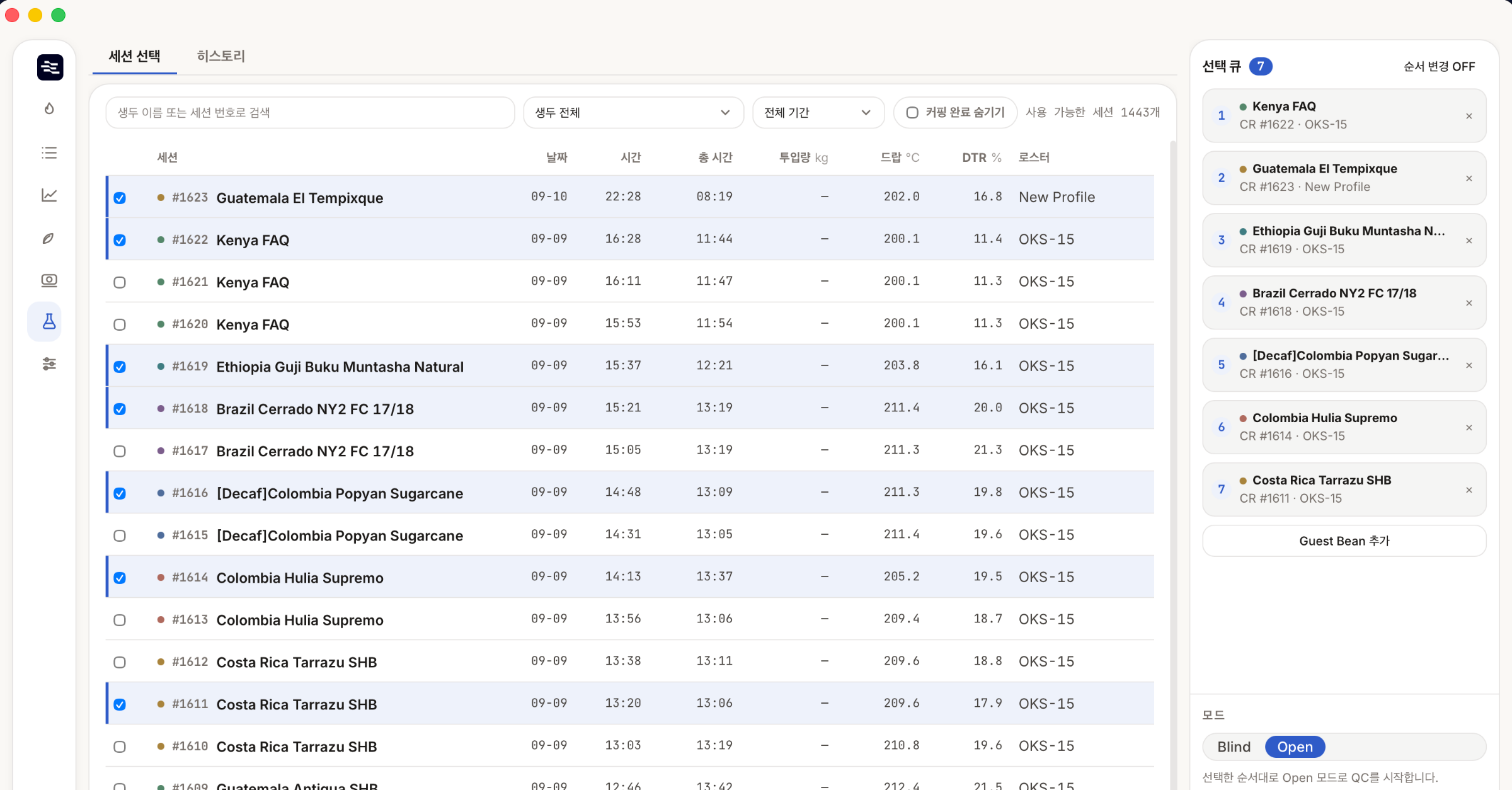
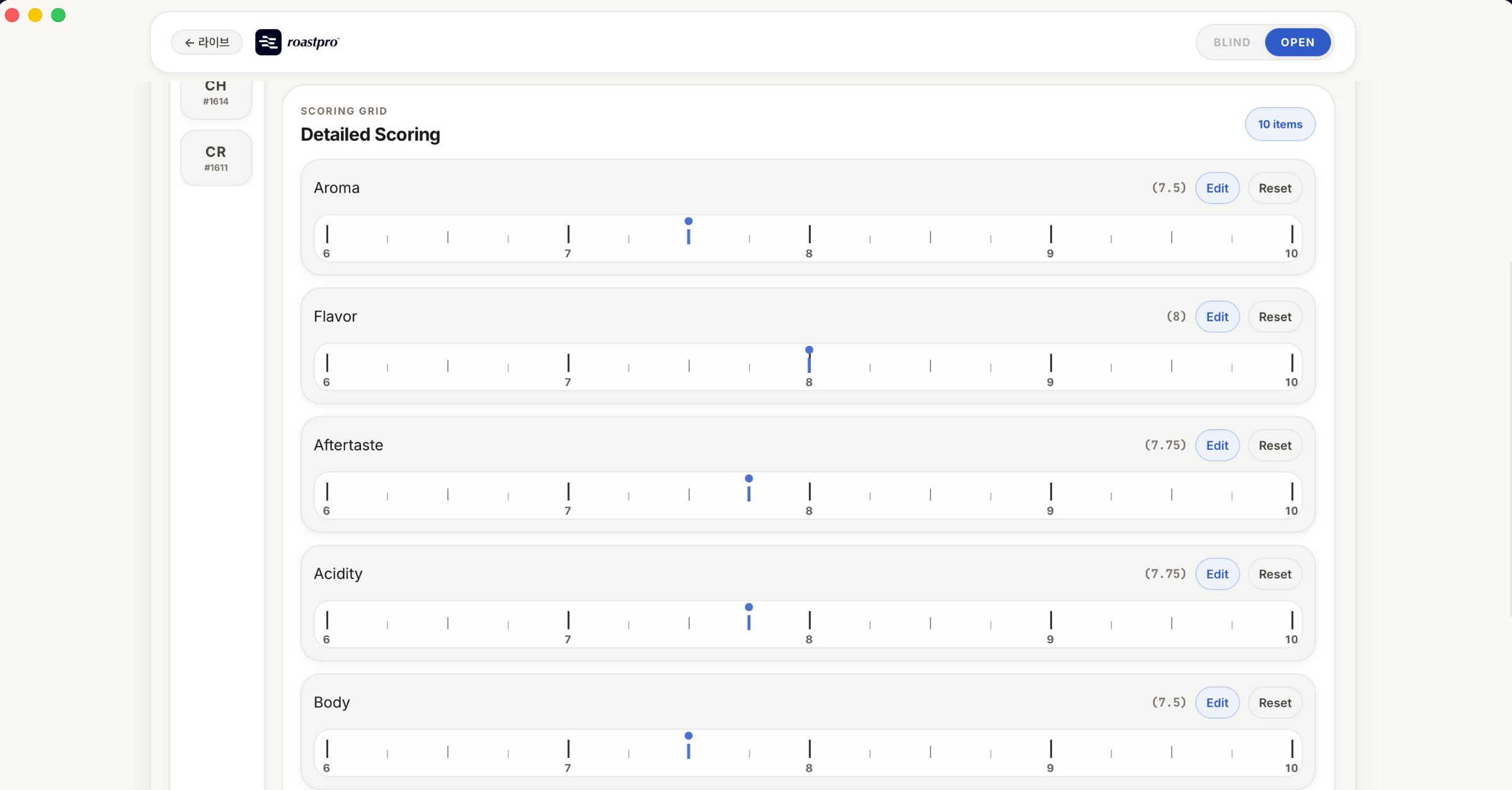
SCA-aligned scoring across 10 attributes (aroma, flavor, aftertaste, acidity, body, balance, uniformity, clean cup, sweetness, overall) on a 0-10 scale. Blind and open modes supported. Invite tasters via QR code; scores sync in real time over AppSync GraphQL.
Cloud Sync + Local-first
No network? No problem.
Every change is committed to local SQLite first. A background worker mirrors via the sync_outbox queue, with ETag / If-Match conflict detection for safe concurrent edits. Network dropouts never block your work.
Start now
Free on macOS and Windows. Install it, connect your roaster, and your next batch is already being recorded.
Download